Building Games With an AI Agent — Without Losing the Fun
The seven-step workflow behind Arrow Jam and Grid Patch: build one game loop, teach the code what difficulty feels like, then automate the repeated work.
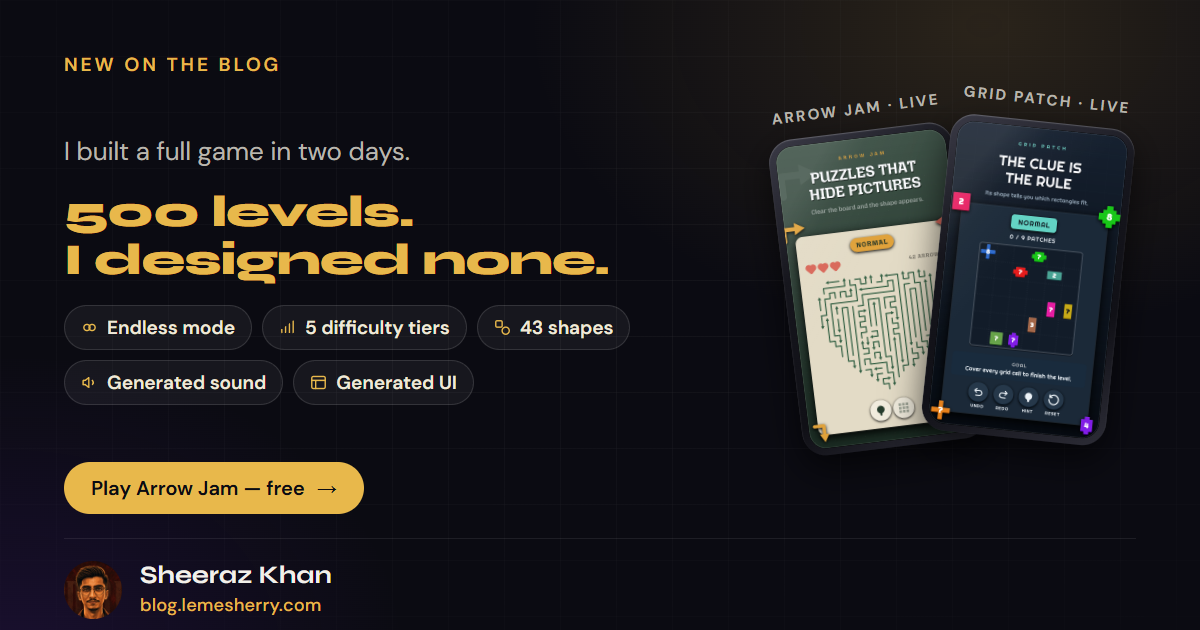
If you came here from LinkedIn, you already know what I built.
This is the part I left out.
I did not give an AI agent one huge prompt and wait for two games to appear. I divided each game into small stages. Every stage had one clear goal, one way to test it, and one question for me:
Does this feel right when I play it?
I decide → the agent builds → I play → I correct → the correction becomes a rule.
The agent handled the repeated work: writing code, rebuilding systems, generating levels and running tests. I stayed with the part I enjoy most: playing, finding what felt wrong and deciding what should change.
I used this loop for Arrow Jam first, then reused it for Grid Patch. These were the seven steps.
#The workflow in one look
- Build the main gameplay.
- Make one playable level easy to create and test.
- Turn the feeling of difficulty into rules.
- Design how difficulty should change from level to level.
- Let the generator create, solve and reject levels in bulk.
- Make the UI fit the game.
- Keep changing the small interactions until the game feels good to play.
I moved to the next step only when I could play the current one and understand what it needed next.
#Step 1: Build the main gameplay first
Before thinking about hundreds of levels, menus or animations, I needed one action worth repeating.
For Arrow Jam, that action is tapping an arrow.
If the straight path from the arrow's head to the edge is clear, the arrow flies out. If another arrow is in the way, it hits that arrow and costs a life. The puzzle is to remove free arrows, open new paths and slowly unlock the board.
For Grid Patch, the action is drawing a rectangle.
You drag across the board to create a patch. It must contain exactly one clue and follow that clue's shape and number rules. The level ends when the patches cover the full board correctly.
One test board was enough. The question was not “is the game finished?” It was “do I want to make this move again?”
#Step 2: Make one level easy to create and test
Once the main action worked, I built a small Level Lab for each game.
In Arrow Jam, one level starts as a recipe:
- Choose a shape.
- Choose its size.
- Choose the arrow length and how much the arrows can bend.
- Choose the number of lives.
- Change the variation number to get a different board.
I can press Quick Test without starting the full game. I can play the level, reload it after a change, or watch the solver remove every arrow in the correct order.
Grid Patch has a similar testing space, but its generator starts with a complete solution. It divides the board into rectangles, then creates one clue for each rectangle.
The AI agent could build one change, the tools could prove that the level was valid, and I could immediately play it.
Fast feedback kept the work fun.
#Step 3: Turn the feeling of difficulty into rules
“Hard” is a feeling first. The code only understands it after I explain that feeling using rules and numbers.
#Arrow Jam: difficulty comes from blocked paths
My first Arrow Jam difficulty system cared too much about board size.
At one point, it called a level with 13 arrows Hard. I played it and said:
“This is literally really easy.”
A bigger board can mean more work, but not always more thinking. So I changed what the code measured.
Arrow Jam now looks at how deeply the arrows block one another. The code removes all currently free arrows in groups and counts how many groups are needed to clear the board.
It also checks how many taps are safe at each point. If many arrows can leave, the player can move quickly. If only a few are safe, the player has to stop and read the board.
That gave every tier its own feeling:
- Easy keeps moving. Most taps are safe.
- Normal asks for a short look before the next tap.
- Hard makes the player read the board.
- Super Hard makes the order of the taps important.
- Nightmare can have lock chains around 40 layers deep.
Every level still has to be solvable and look clean. Difficulty should create thought, not visual mess.
#Grid Patch: difficulty comes from tempting wrong choices
Grid Patch needed a completely different system.
Here, a rectangle can look correct at first but leave another clue with nowhere to go. The player has to understand the problem, remove or redraw the patch, and try a better choice.
The generator creates puzzles with exactly one solution. Then a human-style solver counts the easy moves, the choices that lead to a dead end, and the reasoning needed to discover each problem.
An Easy puzzle asks for almost no correction. A Nightmare puzzle can contain 30 to 40 tempting choices that the player must rule out.
The board can grow, but size is not the main source of difficulty. The real difficulty is how often the player has to stop, think and reconsider.
Two different games. Two different ways to measure “Hard.”
The workflow stayed the same: decide what the player should feel first, then teach the code how to recognize it.
#Step 4: Build the difficulty curve
A difficulty system can judge one level. A difficulty curve decides how hundreds of levels should feel together.
Too many hard levels in a row become tiring. Too many easy levels in a row become boring. A good campaign needs both pressure and rest.
For both games, the opening levels teach the rules. Hard first appears at level 20, Super Hard at 50 and Nightmare at 100. Harder levels do not sit directly beside one another. Normal levels around them give the player time to recover, and Easy levels return less often as the player improves.
The level number also changes the intensity inside each tier. Two levels can both say Hard without feeling exactly the same.
#Step 5: Generate and test many levels at once
Only after the gameplay, Level Lab, difficulty rules and curve were ready did I create levels in large numbers. Generating 1000 levels before knowing what a good level feels like would only create 1000 problems faster.
For Arrow Jam, the level number creates a recipe: difficulty, shape, size, arrow length, bendiness and variation. The generator builds a board, then the tools ask:
- Is it solvable?
- Did it reach the requested difficulty?
- Does the picture shape still look complete?
- Is it too similar to another level?
- Does it contain rows of same-facing arrows that become boring repeat taps?
If a level fails, the system tries another version.
Grid Patch starts from its requested tier but needs more reasoning checks. One solver proves that the puzzle has exactly one solution. Another follows a more human way of thinking. It rejects puzzles that need unfair guessing, miss the difficulty, repeat another board or lack the planned wrong choices.
During one rebuild of 995 Grid Patch levels, the generator made 573,807 attempts.
Only 995 were accepted.
Exactly 7 levels worked on the first attempt. Level 984 needed 11,078 attempts by itself.
I did not press a button 573,807 times (thankfully). The generator and agent handled that work. Tests checked every accepted level, while I played a smaller selection from the easy, middle and difficult parts of each tier.
The code catches a broken level.
I play the levels to catch a boring one.
That is the balance that made this workflow useful for me.
#Step 6: Make the UI fit the game
Arrow Jam is fast and energetic. Arrows fly away, blocked arrows hit the piece in front, difficulty badges are strong and the win moment has movement and confetti.
Grid Patch is slower and more thoughtful. Its board uses soft colours, painted patches and clear clue shapes. The player should be able to study the full board without the UI fighting for attention.
Both games build their UI in code instead of separate layout files full of hand-placed elements. This made it easier for the agent to apply one design change across the game.
But the decision still came from playing.
Arrow Jam first used arrow-shaped life indicators. They matched the theme, but they did not feel like lives. So I changed them to hearts.
The first idea was clever. The second was clear. Clear was better.
#Step 7: Make every touch feel good
The game can now work, create levels and look good — and still feel bad in the player's hands.
This was not about expected puzzle-game controls. It was about finding where the player had to wait, repeat an action or wonder what happened — then removing that friction.
#Grid Patch
Turn a redraw into one move. At first, changing an area meant removing the old patch before dragging its replacement. Crossing several patches meant removing each one. That was too much work for one thought: I want this area to be shaped differently.
Now I drag directly over the old patches, and they fade under the preview. A valid release replaces them all; an invalid one leaves the board untouched. The redraw is saved as one decision, so undo restores the old arrangement in one step.
Guide the drag without revealing the answer. The preview starts neutral. Once it contains a clue, it takes that clue's colour and brightens when its area and shape follow the rules. It checks only visible information, never the hidden solution. It confirms the shape, not the answer.
#Arrow Jam
Never stop the player's rhythm. While one arrow is still flying away, the player can tap the next. Its cells leave immediately, input stays open, and only the win waits for all movement to finish. A quick solution becomes one smooth chain instead of tap, wait, tap, wait.
Let a wrong tap explain itself. A blocked arrow moves forward until it hits the arrow in its way. The blocker shakes, and the first arrow returns in red. The board shows the cause where the player is already looking. Tapping the same blocked arrow again does not take another life for the same mistake.
Make arrows feel like different weights. Short arrows leave with a bright, quick sound. Long arrows sound deeper and last a little longer. Connecting sound to body length helps a large arrow feel larger.
Offer help when it becomes useful. The first large board teaches zooming and moving in two steps. Later boards wait until progress stops, then show only the gesture that fits the current view. Help disappears when the player acts. Menus, adverts and time outside the app never count as being stuck.
None of these changes added another level. They removed an extra action, a forced pause, an unclear mistake, a flat response or an unwanted interruption. That is what made both games feel better to play.
The AI agent could implement each correction quickly. It still needed me to play, feel the small problem and describe the better experience. That loop — play, notice, explain, rebuild — is where a working game started to feel like mine.
#What the AI agent actually changed for me
The agent wrote most of the code. It created tools, added tests, rebuilt systems and repeated jobs that would have taken a lot of manual time. But it was never one perfect prompt.
Every useful correction became part of the project as code, a test, a design rule or another generator check.
That is also why Grid Patch was faster to build after Arrow Jam. The second game reused the project structure, the testing pattern, the Level Lab, the campaign tools, the UI systems and the build setup. Its gameplay was new, but the way of working was already there.
AI did not remove the thinking. It shortened the distance between a thought and a version I could play.
I spent less time creating levels one by one, moving UI pieces or checking the same rules again. I spent more time playing and asking:
Does this feel right?
That is the workflow in one idea: make one thing fun, make it easy to test, turn the feeling into rules, then let the system repeat the work.
It is the workflow I would use again for the next game.
Arrow Jam is live and free on Google Play:
Grid Patch is live and free on Google Play:
Wanna give one a try? I'd genuinely love to know which level felt too easy, too hard or simply not fun. That feedback can become the next rule.
Ps. The plan was to keep enjoying games while another game was being built. I think that part worked very well HeHe :P